Sunday, 3 March 2013

Free clickers

Socrative

Socrative is a Student Response system, like Who Wants to Be a Millionaire.  The advantage of Socrative over other solutions is that it is free, and uses no special hardware.

To set it up you...

Go to www.socrative.com and create an account.  You get a room number allocated, but can change it (I’ve got room 9 0000 000).  That is all the set up you need.

To use in a lesson, you simply go to t.socrative.com.  You can do this on your laptop, but it is also designed  to be used on a phone / tablet.

Once there (and logged in) the laptop / phone screen looks like this. The easiest things to do are the Multiple Choice, True/False or Short Answer options.  You do not type the questions in, you simply ask the students orally, or have the question on the board, as we always do.

The difference comes with how students respond.

They go to m.socrative.com, on their phones / ipod touches / any other internet enabled device.  They can do this having connected to the school “JBSGuestwifi”.

When you ask a question, they simply get an A to E option on their screens.  As you can see there is no question or context, all they do is click A, B, C, D or E. 

Once they vote, a bar chart appears on your device.

I’m sure I’ve made it sound more complicated than it really is.  I discovered this site on Thursday (I was looking for something completely different), and had it running with students by my first lesson on Friday.


As you can see you can also have an “Exit Ticket”.  This is like the “Post-it note on the way out”, except I get an email with a summary.  I used this with Y13, and it illuminated a problem I hadn’t already spotted, so my starter for next lesson is sorted.  There are 4 parts to the exit ticket; name, how well did you get it (4 point scale), what did you learn, and answer the question on the board.

I’ve yet to play with the Quizzes you can write, but will share more later.

Downsides—not all students have phones.  They can pair up, or work in groups.  The exit ticket allows students to pass the device to their neighbour for them to submit.

Some students just opted to use their 3G rather than the school guest wifi.


Just to pre-empt the conversation we have a very clear policy on phones in class / school.  They are absolutely banned / not allowed, unless I decide to let my students use them for a valid educational reason, and thne it is on my terms.  I know it is not the same everywhere, and would suggest to anyone who works under a complete ban that they take the case for teacher choice to school leadership.

Saturday, 18 August 2012

Exporting a 2 week timetable

As a fully paid up convert to all things google, and as someone who likes electronic solutions (preferably cloud based and synced across platforms and devices) my timetable has been annoying me for some time. 

What I've wanted is a quick way to get a 2 week timetable out of Sims and into either google (my choice) or outlook (what some people would prefer). A quick google will suggest this is not trivial, so I'm sharing here my own work around.

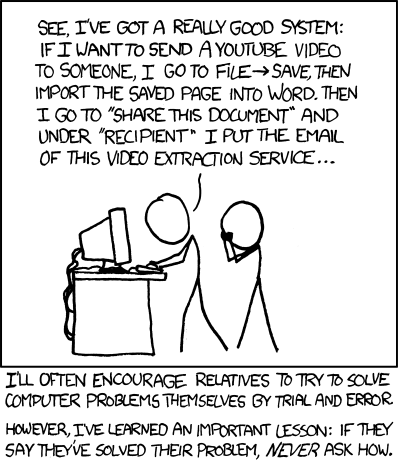
To be warned, it feels a little like this.

You haven't asked how, but I'm going to tell you anyway.  (I know there are people at school who will want to know).

1.  Type your timetable into excel.  You need certain column headings, but because I'm nice like that I'm just going to share my spreadsheet with you (Here - you'll need to download it and edit).  I've only typed in one fortnights worth of TT, the rest is called by an =C3 type cell.
The "Day" column is numbered 1 (for Monday of Week A) through to 10 (Friday week B).
The Start date column is then a vlookup.

2.  Copy all but the first column and then "paste Special - Values" into a new spreadsheet.  You may want to format the columns for date and time so that they look like dates and times.  Save this as a CSV file.

3.  Import into either Google Calendars, or into Outlook.


I've only done term 1 so far.  This is as my timetable may change early on (I blame the timetabler (me)).  To get term 2 in after half term, all I think I need to do is change the date attached to the value 1 on sheet 4, and re-copy / paste.


Feel free to tell me how much like nonsense all of the above is, and what the better way is....

Sunday, 1 January 2012

Most important topic in maths?

What is the most important topic in maths.  Many, including parents, and (more worryingly government) would have you believe it is 'basic numeracy', which tends to mean 'times tables'.  I agree that a basic awareness of magnitude and the ability to add siubtract or do multiplaications in your head is important, I really don't think that it is the most important thing that maths teachers should be doing with classes.

This is not my idea, by the way, I heard it discussed (briefly) on Radio 4's rather excellent "The Infinite Monkey Cage", about a year ago, but the more I think about it, the more I'm convinced its right.

What we should do more of is probability.  Not just the stuff we do already - words, probability lines, fractions / decimals (do any maths teachers use percentages for probability, and if not, should we if the real world do?).  Not just Venn diagrams and tree diagrams, but actual probability and risk assessment.

Don't panic.  This is not risk assessment from a H and S form point of view, but from a maths point of view!


Why?


Well, every decision we make is based on probabilities and expectations.  Should I buy a lottery ticket? What car finance deal should I go for?  What stocks and shares should I buy?

Everyone needs to be able to properly weigh up the pros and cons of any situation.  We need to teach the appropriate skills to do that. Students need to be able to set up appropriate models (modelling may be the second most important thing we teach!), and interogate those models.  We then need to use our understanding of probabilities (using prior information) to make the 'best' decision.

There's a great example of this earlier on my blog - have a look at http://chrismaths.blogspot.com/2010/05/real-functional-maths.html to see why it's important.

Any other thoughts??


Thursday, 6 October 2011

Made up Maths Words

I'm a big fan of creative literacy, generally with a maths focus.  What I'm worried about is whether it may do more harm than good.

Some examples; from recent lessons, to things from a while ago...

Shape names:  I asked a class if they knew the name of a 12 sided polygon. After a sea of blank faces presented itself, I prompted "it begins with D".  Dozenagon was the answer offered.  So, for the rest of the lesson we used Dozenagon alongside the proper name.


Same lesson, outterior angles.  Opposite of interior, in case you were wondering!

I've also used squillimeters and squentimetres for sq mm and sq cm.  This helps avoid the centimetres squared problem. Many students don't appreciate the difference until I tell the (both true) stories of the tech teacher who ordered 10 metres squared of turf for his 10 sq metre garden, and the one (from the telly I'm told) who ordered 5 metres cubed of concrete to be poured on to the floor that required 5 cubic metres.  They certainly know the difference.

I've also verbised words.  Y12/13 in particular use the verbs To Pythagorise and To Trigonometrise to describe what to do to a forces or vector triangle.  Bracketising is something I use as a synonym for factorising.

The question is does it matter?  I am always careful to use the real word too, but I feel it is part of building up a good relationship for learning with pupils, and a few years ago some of a class startd keeping a list of made up words in the back of their books. I tried to get them to create a wiki for it, but the VLE didn't make it easy enough, which is a shame as it would be great to have a full record of words over the year.

All thoughts always gratefully received!

Saturday, 23 July 2011

Me and Google+

There has been quite a lot written about google+, and how it is the same / different to twitter / facebook / blogging / everything else.  This is just my attempt to clarify in my mind how I might be using it in the future, and how it fits for me with all of the above.

Let just start  by saying I don't facebook.  I've never felt the need to particularly.  On the whole I stay in touch with real friends by email phone and text, so have never really seen the point.

I could ramble on for ages, but this is how i see things panning out for me...

Twitter will continue to be the main form of sharing ideas and engaging in conversations. I like its openness, and that many people will see - you may get responses you don't expect and that challenge your thinking, and that is a good thing.

For me, circles are the usp for google+. I envisage using it as a collaborative tool at school, using circles as a way to direct and focus conversations.  Assuming I can persuade enough people to sign up (and I've already got our new eLearning coordinator on side, which is a good start) here is how I hope it might look soon.

A Maths circle, containing my team. We already use GDocs readily, but a forum we can discuss things could be really powerful

A Year team circle. If all Y11 tutors and our HoY belong to a circle then issues discussion points etc can be raised in between meetings.

A maths management circle of me with my TLC's.

An eLearning group circle.

Some might (will) say that this can all be done through forums on our VLE, but circles offers something different to this. If I am discussing Y11 exams with the maths circle I can post it to the Y11 team also.  The VLE doesn't support this (I don't think). 

To summarise...

Facebook isn't (currently) for me
Twitter is for open chat, albeit with a professioanl focus.
Blogging is for reflection, a place to publish thought out and slightly more polished thoughts.

Google+ is for collaboration, both in real time (with huddles, which i haven't played with yet) and as a forum that allows cross pollination between circles.

I would love to hear other peoples thoughts on all of the above.

Sunday, 22 May 2011

Do what you like...

An extract from this weeks Monday Morning Maths Memo (shortened to Monday Notes, or M4)


For the rest of this year, with year 9, our proposal is “Do what you like”.


Seriously.


No one is suggesting term 6 is filled with DVD lessons or colouring.


Obviously.

Lessons need to be Learning Goal led, and jam packed with good mathematical learning, but we would like to give you the freedom to teach everything and anything maths like. For me a useful catchphrase for this is “Excite, Engage, Enthuse”. In quick conversations, we’ve come up with the following ideas…

Lalage—Playing with numbers. For example learning cancelling shortcuts when multiplying fractions, but also interesting facts like 1111111112=12345678987654321

Steve—Functional Maths—Using the OCR and Edexcel functional papers as learning activities.

Chris—International lessons. I’ve still got diosplay on my boards from an old top set y9 from “The Swiss Challenge”, including critical path analysis, and complex numbers, doing work based on Euler. We have 18 of these lessons.

Monday’s entire meeting agenda is set over to discussions of all of the above, and every Tuesday briefing will be “what are you doing with Y9 this week” to encourage sharing ideas.


Saturday, 30 April 2011

A Lesson on Voting reform

Some days the best lessons just happen unplanned, and the numbers drop out beautifully.

I was going through exam papers with my Y11 last week, and a number of the class weren't there, due to Dance, PE, and Art exams (its that time of year). Some of those left were asking about next week's referendum, and commented that AV wasn't fair and was too complicated.

So we did it.

We modelled the situation, running a vote for where they would like to go on their end of year trip. They suggested the following places...
  • Alton Towers
  • Bournemouth Beach
  • Chessington
  • Legoland
  • Thorpe Park
I asked them to vote, and the votes came out at...
3 for Alton Towers, 11 for Bournemouth, 3 for Chessington, 1 for Legoland and 5 for Thorpe Park. The general consensus was that clearly a trip to Bournemouth was out and out the winner. Then I pointed out that while 11 had voted for a trip to the beach, 12 had voted for a theme park trip.

We then AV'ed the vote, by physically moving around the room to redistribute the votes. As it happens Bournemouth did win, as some people wanted as a first choice to go to a theme park, but couldn't face the long coach trip to Alton Towers.

They weren't all convinced by the argument that it was a better system, they did at least understand how it worked, and why some people see it as fairer.

Again, I was lucky - the fact that the numbers added up so well to 11/13 for the fptp system was something of a gift - something you just cannot plan for.

This is similar to the video on youtube by "Dan Snow", if you're interested, but I got lucky the numbers worked out the way I wanted!